
Pecos County Criminal Docket Searches
The court name and cause number sit right on any order, bond paper, notice, or citation, so pull them from there first. For an online docket search, Texas offers the re:SearchTX court-record portal, the statewide channel for courts that participate. You must register before searching live cases and documents. The published guidance lists court, county, case, and party criteria, but the signed-in screen governs the exact fields. Pecos County posts no county-hosted criminal docket form of its own.
Offline routes still matter. The District Clerk holds district felonies, while the County Clerk keeps county criminal matters, and fine-only cases stay with the justice or municipal court that issued them. When a case is old or missing, call the clerk, email, visit the counter, or mail a narrow written request. Ask about a public terminal or paper docket. Fax and email contacts are published. Confirm the clerk accepts them before sending anything sensitive.
- Copy the cause number exactly, including letters and dashes.
- Select Pecos County and the named court.
- Match the header, charge, and filing date.
- Read events in order and check later resets.
- Request a certified judgment when formal proof is needed.
Pecos Criminal Docket Ladder
A blank docket search result is rarely a dead end. The name may be indexed in a different order. A lower court may keep its own system. The file may predate electronic migration, or access may be limited. Try the cause number first. If you only have a name, narrow it with court, case type, county, and filing date. Pecos County has published no local criminal cause-number pattern, so never invent a prefix to force a match.
Best next step: Save the exact court and cause number, then contact that court's clerk. An empty portal result does not prove that no record exists.
The statewide citations database lists published notices, not every criminal case. DPS runs a separate criminal-history product. Neither one matches the event history the court itself keeps, so a focused request to the clerk for one docket sheet, order, or judgment in a known cause number still beats them both for a Pecos County case lookup.
Criminal Dockets: What They Show
A Pecos County criminal docket typically opens with a case header and then runs through dated events. The fields follow the documented Texas model rather than any promised Pecos screen layout. Know this too: an entry can show that an instrument was filed. The document image itself may still be unavailable. Certification is a separate service the clerk provides.
| Cause number | The identifier on the court document, shown as the exact printed number without an invented format. |
|---|---|
| Court and status | The assigned court and an open, pending, inactive, or disposed label. |
| Charge | The complaint, information, or indictment and stated offense level. |
| Settings | Arraignment, pretrial, plea, trial, sentencing, or review dates and resets. |
| Disposition | The judgment, dismissal, verdict, deferred result, sentence, or appeal event. |
Beyond the header, the docket may list party roles, counsel, bond activity, costs, and links to filed documents. Remember that a motion is only a request. Before treating one as granted, find the signed order that comes later.
Pecos Criminal Docket Outcomes
Short status words hide real differences. When a system marks a cause "Disposed," it means the case no longer counts as active in that reporting category. That is all it means. The word alone never tells you whether the ending was a conviction, a dismissal, an acquittal, or something else. For the real answer, read the final disposition and the judgment.
- Deferred disposition
- A conditional result with court-set terms, not automatic sealing or dismissal.
- Nolle prosequi
- A prosecution discontinuance that should be confirmed in the filed record.
- Bond forfeiture
- A bond event that does not itself resolve the charge.
- Mandate
- An appellate instruction returned to the trial court.
An indictment is a filed felony charge, not proof of guilt. Likewise, an "Inactive" flag in a report is not the same as "expunged." Read each label together with its date, its court, and the related document.
Criminal Case Stages on the Docket
Read the Pecos County criminal court docket forward from the charging entry. Start by finding the complaint, information, or indictment. From there, pick out appearance, counsel, plea, and bond events. Motions and discovery entries show the preparation work. Later entries can record a plea hearing, trial, verdict, judgment, sentence, supervision, or dismissal.
Docket flow: Filing → Arraignment → Pretrial → Plea or Trial → Disposition → Sentencing
A reset does not erase the old setting. It stays in the history. Track the newest setting and the signed order instead. Later activity might include restitution, costs, revocation, appeal, mandate, expunction, or nondisclosure. Never stretch a generic status field into an outcome it does not state.
Pecos Criminal Docket Counts
For volume, the FY2024 OCA district activity report offers county context, not personal case results. It counted 328 active criminal cases at the period's start, 101 added, 297 disposed, and 338 active at its close. The period ran September 2023 through August 2024.
Justice-court criminal totals dwarf the district figures, because they sweep in high-volume Class C and traffic work. Those are not felony numbers. No aggregate line anywhere proves the status or outcome of one Pecos County cause.
Pecos County Criminal Docket Courts
Two district courts share concurrent Pecos County jurisdiction. These are the 83rd and the 112th Judicial District Courts. The District Clerk keeps local filings for both. Felonies belong at that level. The constitutional County Court handles county criminal work within its authority. Below that sit four justice precincts and two municipal courts. Each keeps its own Class C, traffic, and ordinance dockets.
| Court | Work | Custodian |
|---|---|---|
| 83rd or 112th District | Felony cases | District Clerk, 400 S Nelson, (432) 336-3503 |
| Constitutional County | County criminal cases | County Clerk, 200 S Nelson, Suite 3, (432) 336-7555 |
| Justice or municipal | Class C and ordinance cases | Issuing precinct or city clerk |
The Texas court structure source shows this division.
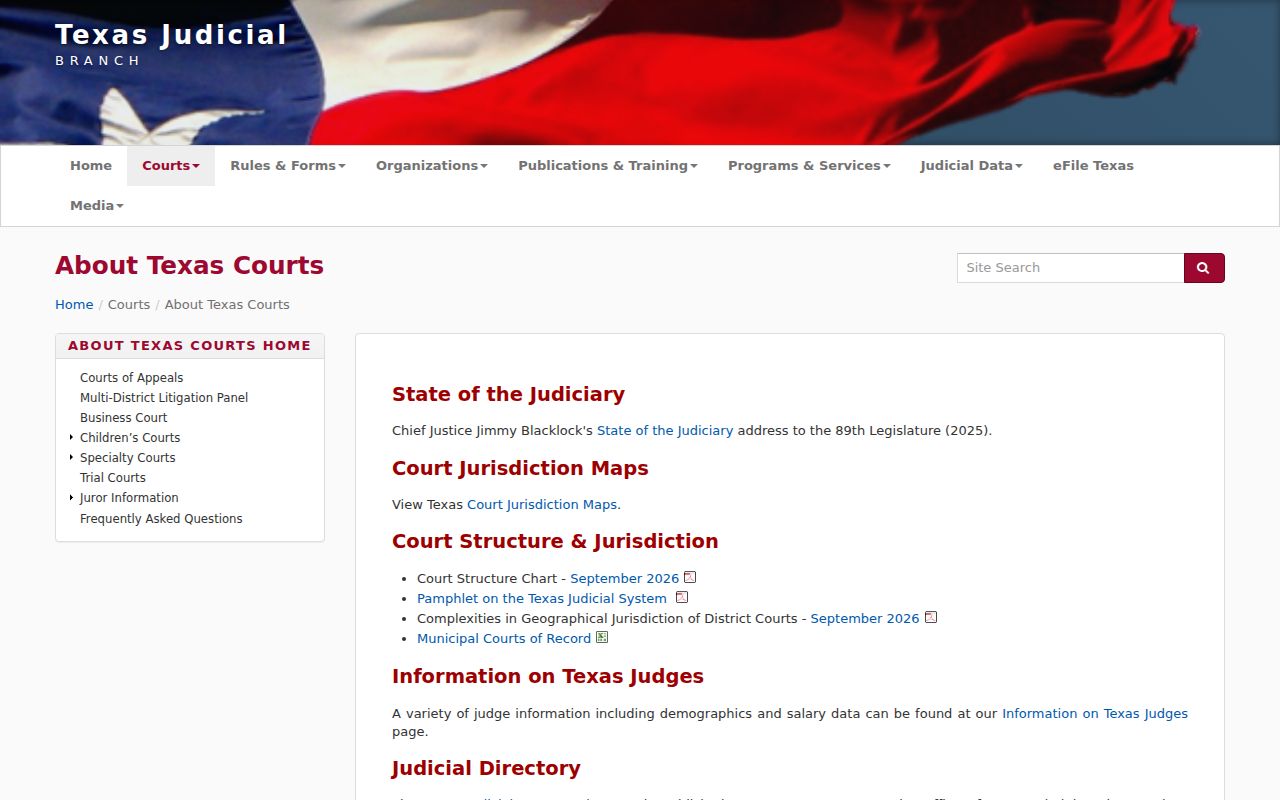
The court named on the record sets the route. A city or JP cause does not become a District Clerk file just because it arose in Pecos County.
Pecos Criminal Docket Copies
District files go to District Clerk Darla Cude at 400 S Nelson, (432) 336-3503. Fax and email contacts are also published there. For county criminal records, go to County Clerk Liz Chapman at 200 S Nelson, Suite 3, (432) 336-7555. Call either office first. Confirm hours, inspection options, and whether a terminal is open to the public.
Under Texas law, noncertified paper copies generally run $1 per page. Certification adds $5 plus page charges. Confirm the exact total, postage, delivery method, and accepted payment. For cards, Pecos County Certified Payments lays out the County Clerk process. Note that it covers payments, not a criminal search.

A payment receipt only proves payment. To request a certified judgment from the Pecos County criminal docket, give the clerk the cause number, the exact item, the date, the certification type, your delivery choice, and your contact details.
Access Rules for Criminal Dockets
Texas court records skip the Public Information Act. That law governs executive agencies, not the judiciary. Most criminal docket entries can still be inspected or copied, unless a statute, rule, sealing order, or court order says otherwise. Juvenile data, protected identifiers, warrant material, expunction records, and nondisclosure material all carry special restrictions.
Key rules:
Texas Rule of Judicial Administration 12 governs access to eligible judicial records.
Government Code §552.0035 places judiciary access under court rules and law.
Code of Criminal Procedure Chapter 55A addresses expunction procedure.
The event may be public. Its image may not be. In that situation, ask the clerk for a redacted public version or a priced copy. If access is denied, ask for the controlling authority and the review path, and never treat an empty result as proof of hidden facts.
Pecos Lower Criminal Dockets
A Class C case in Pecos County can land in several places. Those include Justice Precinct 1, 3, 4, or 6, Fort Stockton Municipal Court, or Iraan Municipal Court. Check the citation. The issuing court printed on it tells you where the file lives. Fort Stockton runs its citations through a city vendor. JP3, by contrast, keeps its own cause-number vendor. Iraan Municipal Court offers no public search form. Call its clerk directly. None of these systems feed one shared county criminal docket.
Start with the citation. If a vendor shows no match, call the issuing clerk. Ask whether an appearance is mandatory. Ask whether the listed date still holds, and how to get a public copy. Do not move to the District Clerk on your own hunch. That office only applies if the record shows a district cause, a transfer, or an appeal within its custody. A payment screen is not a certified disposition. It cannot tell you what a later signed order says.
Geography matters here. Fort Stockton, Iraan, Imperial, and Sheffield each have separate city or precinct contacts. Save the court name with every docket result you keep. That habit keeps a valid blank from looking like proof that no case exists.